How to Connect and Use DevDeskApp in n8n: Zero-Code Data Cleaning & Automation
A Common Workflow Story: The Webhook Headache
Picture this scenario: It's late afternoon, and you're building an automated pipeline in n8n. An incoming webhook arrives from Stripe, GitHub, or your website's contact form. The trigger fires smoothly, and a raw payload lands on your canvas.
Now comes the routine part: you need to format messy JSON into a readable summary, create a unique UUID tracking ID, hash an email address with SHA-256 for analytics, or compute an employee's take-home salary.
In most automation setups, this is where the frustration starts:
- The Code Node Trap: You drop a JavaScript "Code" node onto your canvas. You write custom
JSON.parse(), string replacements, and date logic. But one unexpected null value breaks the whole workflow, forcing you into debugging mode. - The Cloud API Delay: You consider calling an external transformation API. But every HTTP request adds 250ms to 500ms of lag, risks hitting rate limits during traffic spikes, and costs you subscription money.
- The Privacy Dilemma: Webhooks often carry sensitive client data, authentication tokens, or salary figures. Sending unencrypted raw payloads across the internet to third-party conversion services creates serious privacy and data leak risks.
The Friendly Solution: DevDeskApp for n8n
We built n8n-nodes-devdeskapp so you never have to wrestle with these hurdles again. It brings DevDeskApp's tested utilities straight onto your n8n visual canvas as a native drag-and-drop node.
Here is why it feels like a breath of fresh air:
- ⚡ 0ms Latency: Runs directly inside your n8n instance in memory. Zero external HTTP calls and zero wait time.
- 🔒 100% Private: Your data never leaves your n8n runner. It stays completely inside your machine or container.
- 👌 Zero Maintenance: No custom JavaScript code blocks to write, maintain, or debug.
- 🆓 Free Forever: No API keys, no signups, and unlimited executions.
How to Install the Node (Takes 30 Seconds)
Getting the node into your n8n palette is effortless:
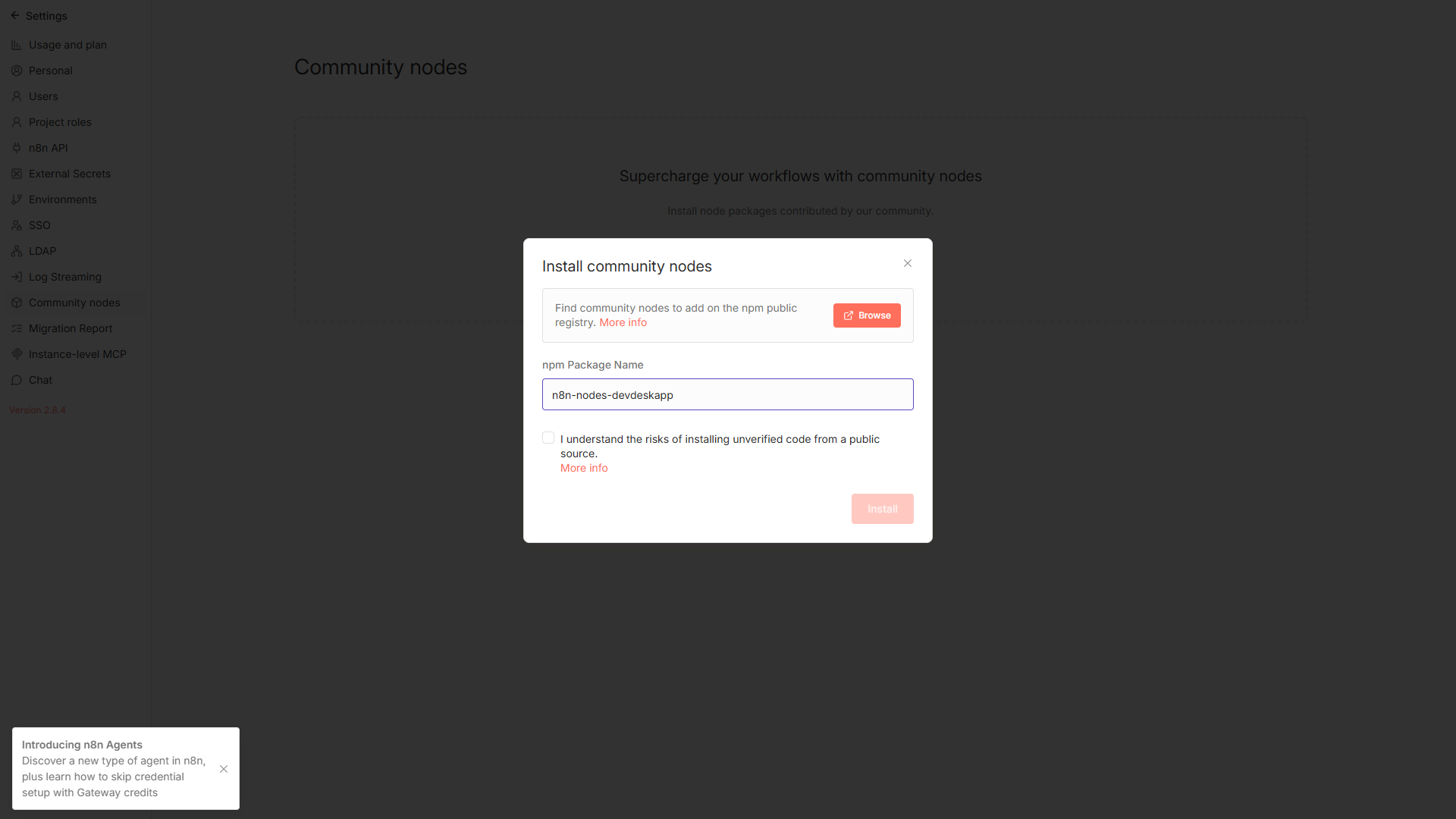
- In your n8n sidebar, go to Settings → Community Nodes.
- Click Install a community node.
- Enter
n8n-nodes-devdeskappin the package name box, check the agreement box, and click Install:
Self-hosted Docker user? You can simply run: docker exec -u node -it n8n-container npm install n8n-nodes-devdeskapp.
Step-by-Step: How to Connect DevDeskApp on Your Canvas
Connecting and using the node in any workflow takes just 4 simple steps:
Step 1: Add DevDeskApp to Your Workflow
Open any workflow canvas. Click the + button (or press Tab) to open the node panel, search for DevDeskApp, and drag it next to your trigger node (such as a Webhook, Form, or Schedule):
Step 2: Choose What You Want to Do
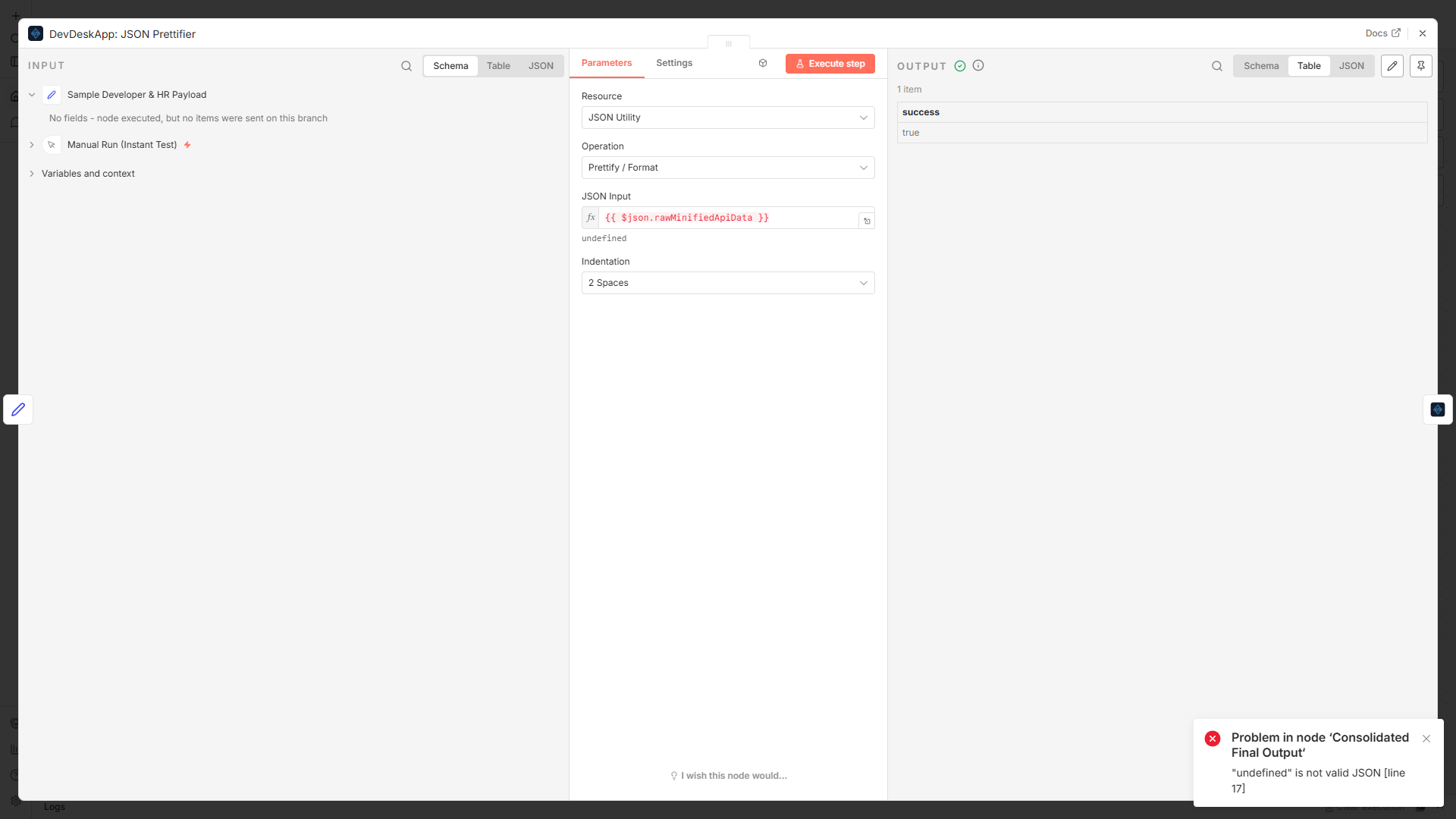
Double-click the DevDeskApp node to open its settings drawer. You will see clean dropdown options for Resource and Operation:
Step 3: What Can You Connect? Key Operations
Pick whatever operation your pipeline needs:
- JSON Formatting: Select
JSON Utility→Prettify / Format. Map your incoming webhook body (e.g.{{ $json.body }}). It instantly produces clean, indented JSON ready for Slack messages or database storage. - Crypto & Hashing: Select
Crypto & Hash→Hash(SHA-256, MD5, SHA-512) orUUID v4to generate cryptographic IDs for request tracing. - URL Slugs & Case Conversion: Convert blog titles or usernames into clean lowercase SEO slugs without messy regex.
- CTC Salary Math: For HR workflows, compute complete take-home pay, standard deductions, and tax breakdowns from annual CTC.
Step 4: Test & Pass Clean Data Forward
Click Test step. You will immediately see clean, structured output with a vibrant green success badge in less than a millisecond:
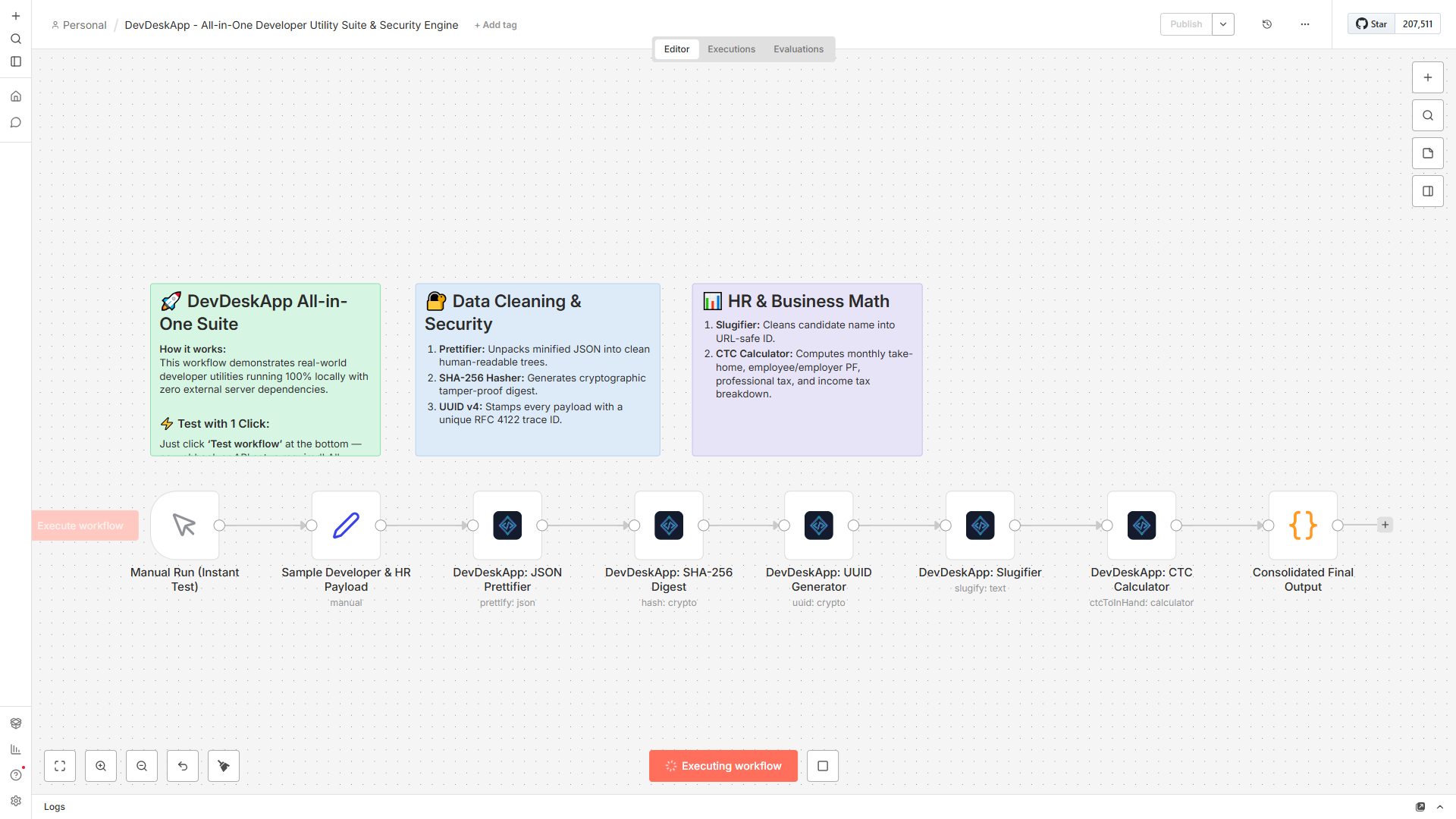
You can now connect the output wire directly into Slack, Google Sheets, Postgres, or an Email node. Everything downstream receives perfectly formatted data!
🌟 Official Verified Workflow Templates on n8n.io (1-Click Blueprints)
Instead of building workflows from scratch, you can use our officially published, production-grade blueprints directly from n8n.io:
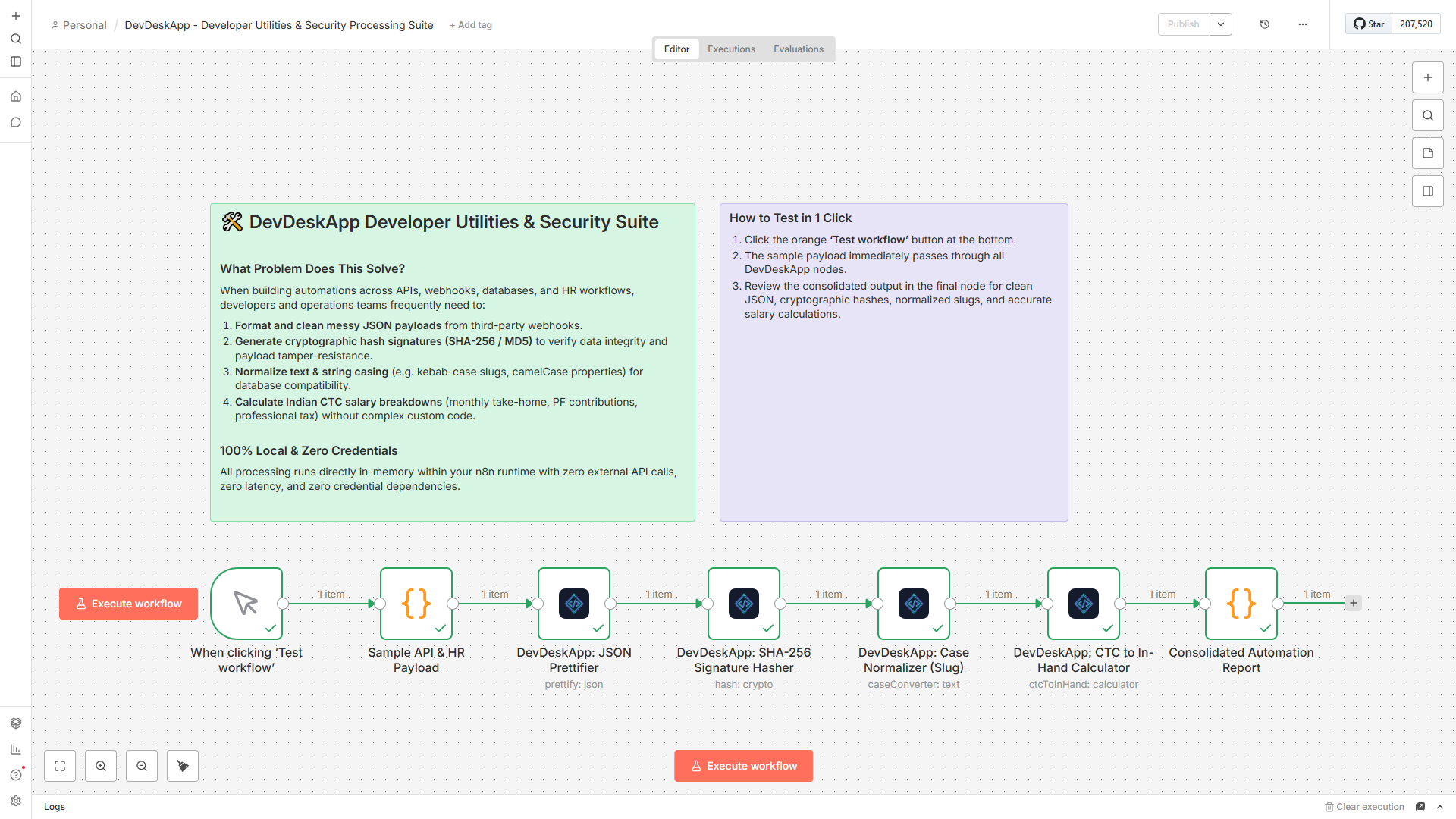
Template 1: Flagship Developer Utility & Security Suite
🟢 Published & Live on n8n.io • Open Developer Utility Suite on n8n.io →
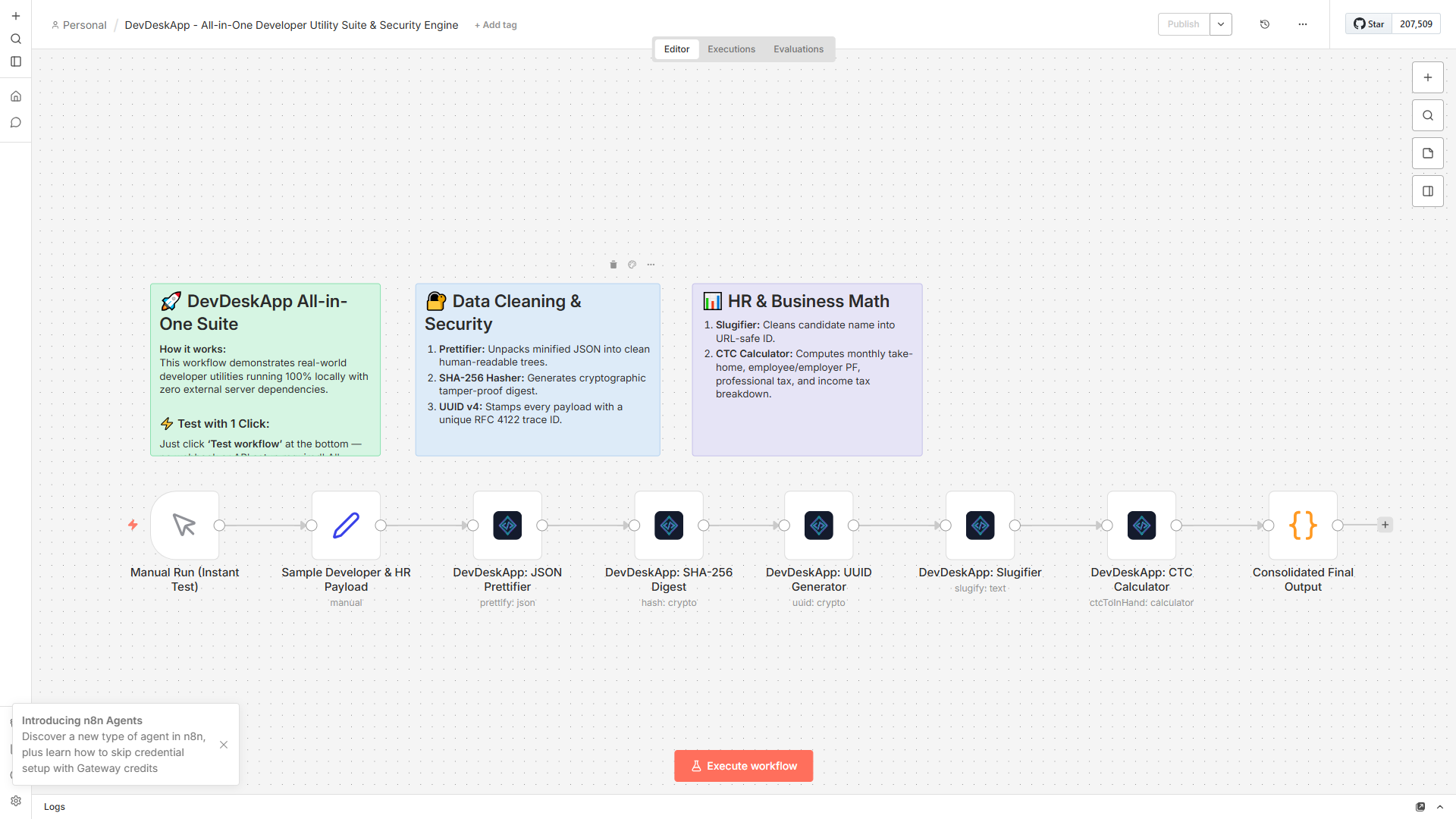
This all-in-one template ingests incoming payloads and applies 5 transformations sequentially: JSON prettifying, SHA-256 integrity digest, candidate name slugification, RFC 4122 v4 UUID stamping, and CTC salary calculations.
Template 2: Indian CTC to In-Hand Salary Engine (Newly Published!)
🟢 Published & Live on n8n.io • Open Indian CTC & Salary Blueprint on n8n.io →
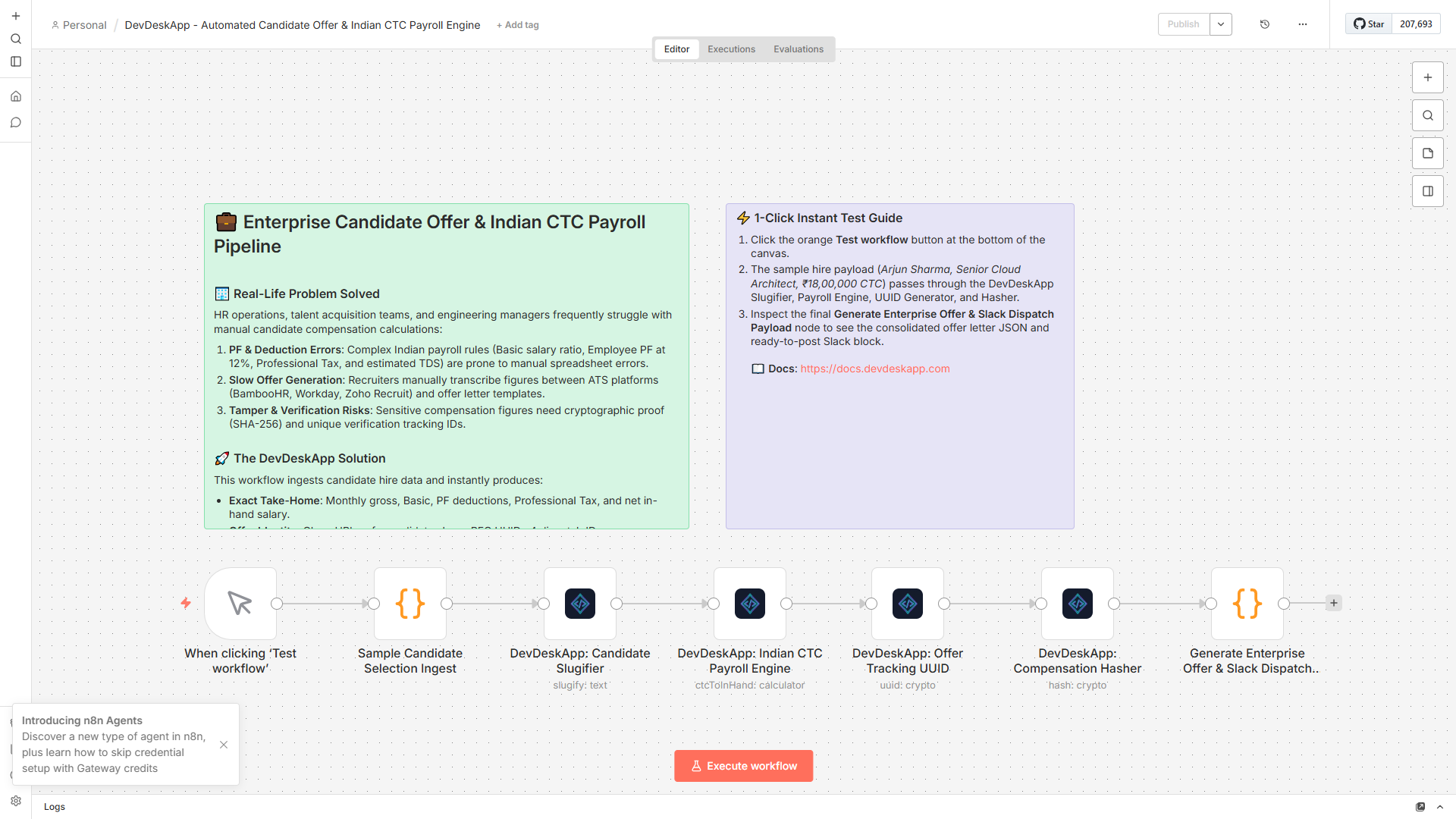
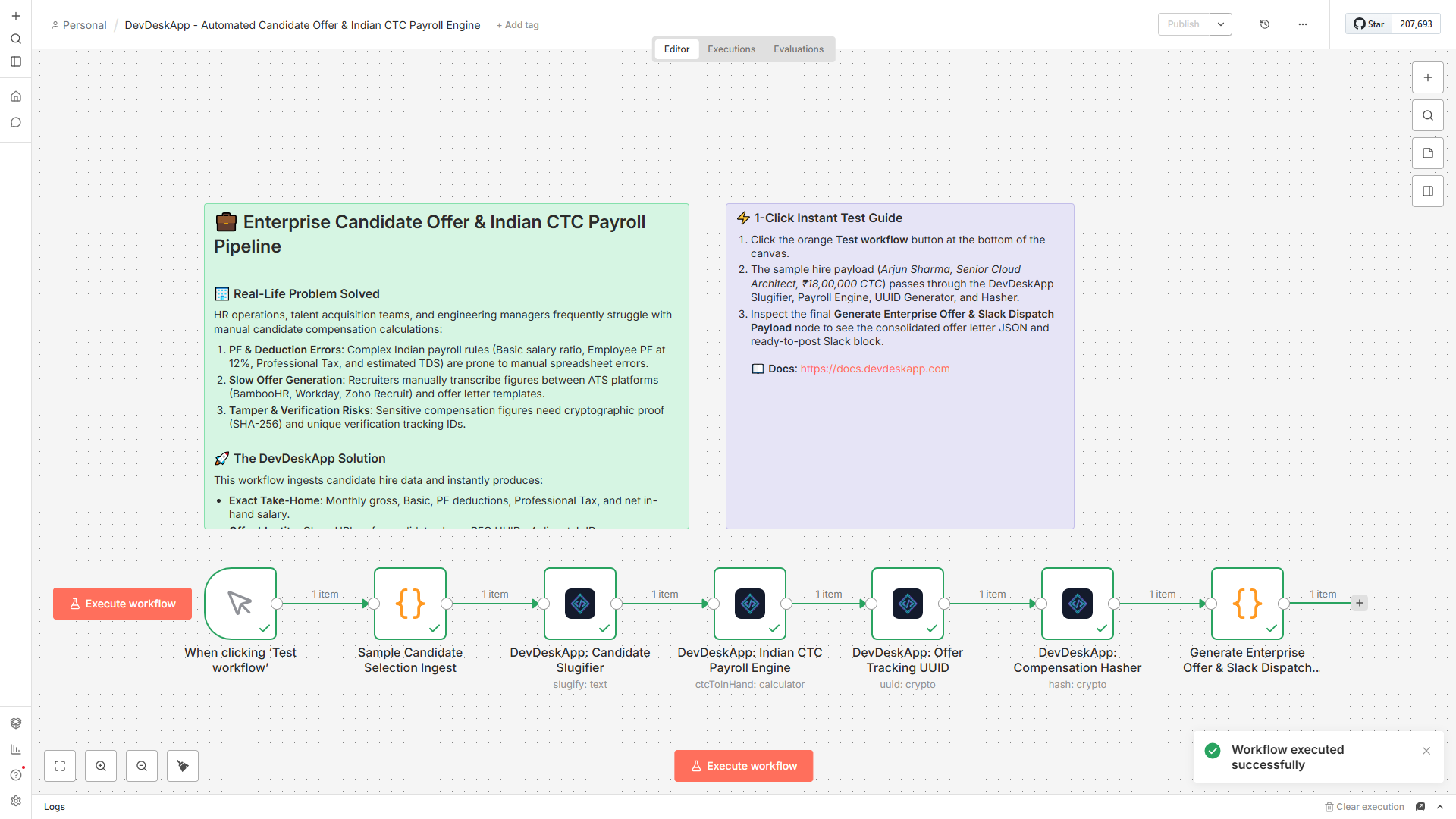
Automate offer letter generation and compensation breakdowns for HR, recruiters, and finance teams without spreadsheet formulas:
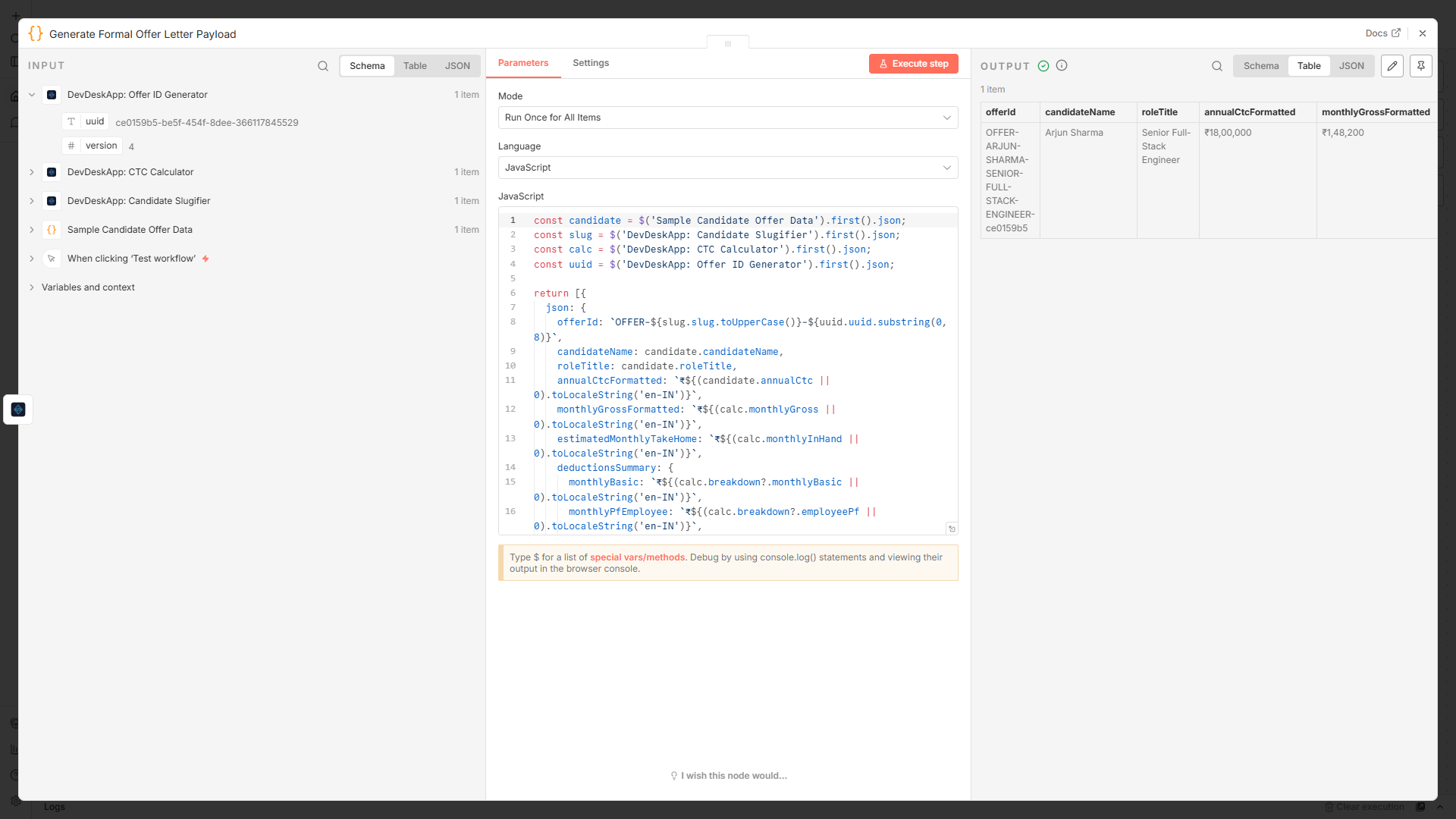
- Automated Salary Logic: Ingests candidate hiring data with annual CTC and computes Basic Pay (50%), HRA, Special Allowance, Employee PF (12%), Employer PF, and Professional Tax (PT ₹200).
- Take-Home Calculation: Computes accurate monthly in-hand take-home salary after estimated income tax deductions.
- Audit & Slugs: Stamped with a unique UUID trace ID and candidate slug before dispatching to Slack, Google Sheets, or PDF offer letter generators.
How to Import Any Template into Your Canvas
- Open the public blueprint on n8n Developer Utility Suite or n8n Indian CTC & Salary Engine.
- Click Use workflow or copy the workflow JSON snippet.
- In your n8n workspace canvas, press
Ctrl + V(orCmd + V). - The full pipeline with preconfigured node parameters and documentation notes appears immediately!
Supercharging AI Agents with Deterministic Tools
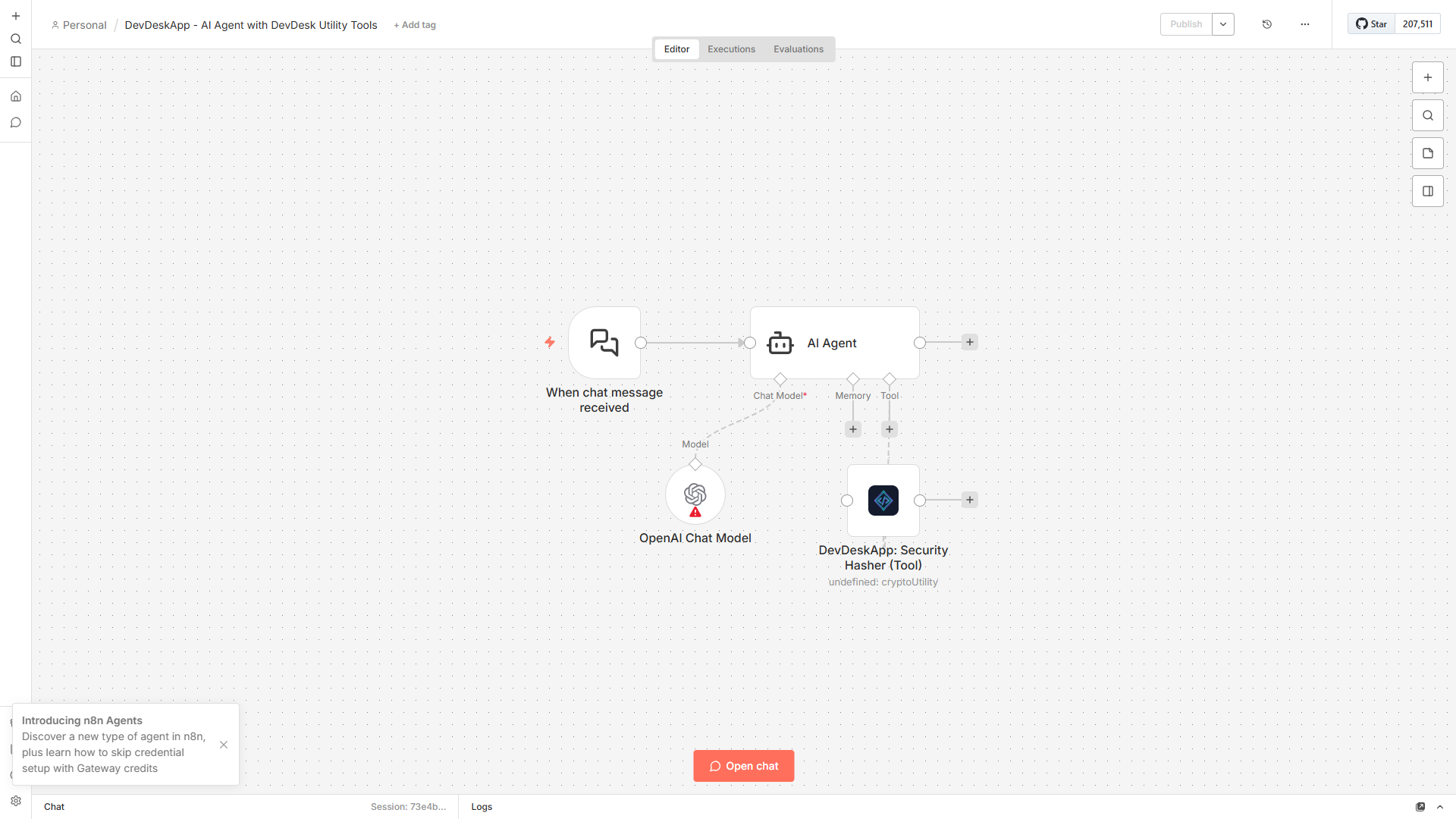
If you're building autonomous AI Agents with LangChain in n8n, you've probably noticed that LLMs (GPT-4o, Claude, Gemini) occasionally hallucinate JSON syntax or make arithmetic errors when calculating salaries.
You can connect DevDeskApp as a Tool directly underneath your AI Agent node. When the agent needs to validate JSON, hash a password, or calculate take-home pay, it delegates the math to DevDeskApp's deterministic engine:
Helpful Links & Community Resources
Ready to try it in your workflows? Here are helpful resources to explore:
- Developer Utility Suite: Developer Utility & Security Suite on n8n.io
- Indian CTC Salary Engine: Indian CTC & Payroll Breakdown on n8n.io
- Documentation Portal: Full parameter references at docs.devdeskapp.com
- NPM Package: n8n-nodes-devdeskapp on npm
- Web Tools: Need a quick one-off format in the browser? Check our free web utilities like JSON Formatter, SHA-256 Hasher, and CTC Calculator.
Interactive Tools Mentioned in this Guide
- JSON Viewer & Formatter - Prettify, format, and validate JSON payloads locally in-browser.
- Hash Text Generator - Generate SHA-256, MD5, and SHA-512 cryptographic digests.
- UUID Generator - Generate cryptographically secure RFC 4122 UUID v4 strings.
- CTC to In-Hand Calculator - Calculate take-home salary, standard deduction, EPF, and tax breakdown.